
Text Connect
Two-Way Texting for Moraware Jobs
Keep Customer Conversations Connected to the Job
Customer communication sounds simple — until you try to track down a text exchange.
Someone texts a customer from their personal phone. The customer replies that evening. Another team member needs an update the next morning. Before long, the conversation lives on one person’s device, and no one else has the full picture.
Text Connect changes that.
Without Text Connect
.- Customer conversations scattered across personal phones
- No way to know who last spoke with the customer
- Scrambling to piece together updates when someone is out
- Customers left waiting while the team sorts it out
With Text Connect
.- All messages tied to the job in Moraware
- Full conversation history, in context, visible to the whole team
- Email notifications keep everyone in the loop automatically
- Faster responses, better experience
What is Text Connect?
Text Connect is a two-way texting tool for Moraware users. It lets your team send and receive customer text messages directly from within a job — and keeps every reply right where it belongs.
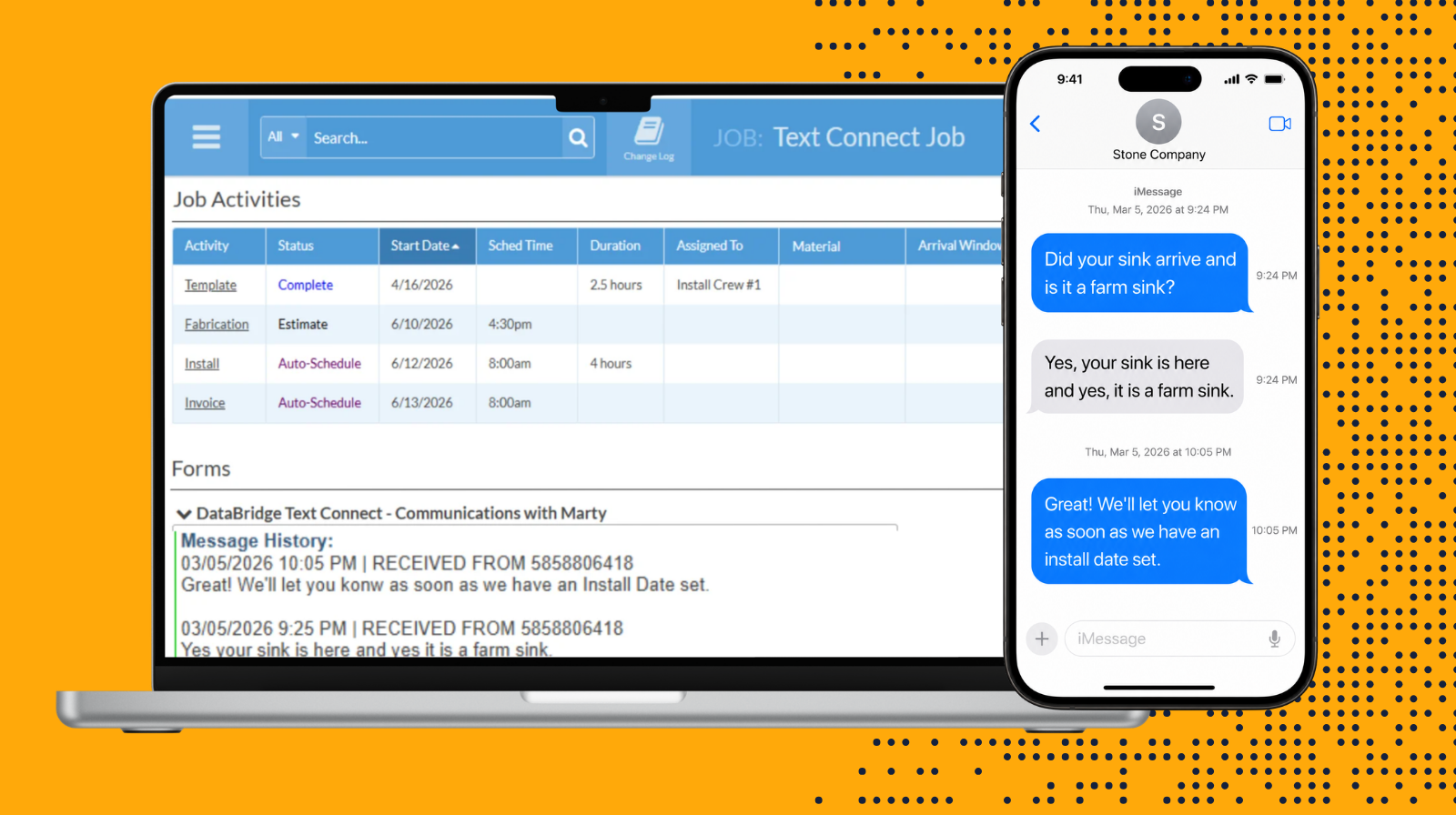
When a customer responds, their message is automatically added to the Text Connect Job Form in Moraware. You’ll also receive an email notification with the latest reply and the full conversation history for easy reference.
No wondering who spoke with the customer last.
No digging through personal phones.
No dropped threads when a team member is out.
How It Works
Here’s how Text Connect transforms customer communication:
-
Add Text Connect to a Job: Attach a DataBridge Text Connect form to any job in Moraware where you want to communicate by text.
-
Send your message: Open the Text Connect link from the job form and send your message directly to the customer.
-
Replies come back to the job: When the customer responds, their reply is added to the Message History section of the Text Connect form — and you’ll receive an email notification with the full conversation thread.
That’s it. One workflow. Everything stays connected.
Why It Matters
-
Customers prefer to communicate by text — Text Connect makes that easy without creating information silos
-
Conversation history lives in the job, not a personal inbox
-
The whole team can see what was said and when
-
No information lost when a team member is unavailable
-
Works within the Moraware workflow your team already uses
Ready to see it in action?
Text Connect is a simple addition that solves a real problem.
To see how it works, request a quick demo.